

Is the login free?
Yes — logging in and accessing the basic features of the platform is free. Some communication features require a premium subscription.

This guide covers everything a new or returning user needs to know about the Asiatalks login & sign up process — including account setup, accessing the platform, and managing account settings.
Build connections that fit your personality
| Action | What You Need | Where to Go |
| Register | Valid email address, age confirmation | Homepage → Sign Up |
| Login | Registered email + password | Homepage → Log In |
| Password recover | Registered email | Login page → Forgot Password |
| Account deletion | Active login session | Account Settings → Delete Account |
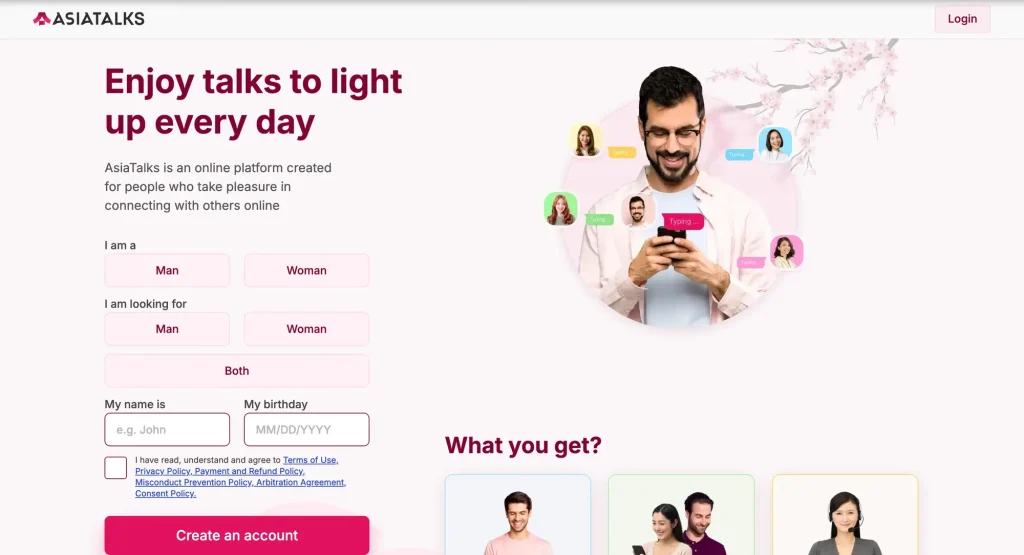
Creating a new Asiatalks account takes only a few minutes. Below is a full walkthrough of the register process.
Open a browser on desktop or mobile and navigate to Asiatalks.com. The site does not require any app download — the platform relies on a mobile website, so the experience is available directly through a browser on any device.
On the homepage, locate the registration button — typically labeled Sign Up or Register. This opens the new account form.
To create an Asiatalks account, the following information is typically required:
Note: Keep your password secure and avoid reusing passwords from other websites.
On Asiatalks, you set the pace. Start light, explore new conversations, and connect with people who spark your interest.

After submitting the registration form, the platform sends a confirmation message to the email address provided. Users are required to go through email confirmation to activate their account. Check your inbox — and spam folder if needed — and click the verification link.
Once the email is confirmed, the platform may guide new users through a profile setup process. This typically includes:
A complete profile may increase the visibility and quality of interactions with other users on the site.
Returning users can access the platform through the standard Asiatalks sign in process.
This is the standard Asiatalks web login method and works on both desktop and mobile browsers. The platform does not have a dedicated downloadable app — access is through the web.
Joining Asiatalks is free — registration and basic profile browsing do not require payment. However, features such as personal messages and stickers are subject to a fee. This is standard across communication platforms that offer premium functionality. The free option gives access to the general browsing experience; extended communication tools require a premium plan.
If access to the account is lost, the password recovery process is straightforward.
Tip: If the reset email does not arrive within a few minutes, check the spam or junk folder. Make sure to use the same email address used during the original Asiatalks register process.
Asiatalks is the place where conversations spark naturally and every exchange can put a smile on your face. Jump in, say something, and see where a simple "hello" might take you.
For those researching the service before signing up, here is a factual summary of what the platform offers.
| Feature | Details |
|---|---|
| Chat & messaging | Direct chats with other users |
| Message drafts | Save unfinished messages |
| Media sharing | Send photos within chats |
| Likes & winks | Lightweight engagement tools |
| Newsfeed | See updates from other users |
| Profile browsing | Search and explore user profiles |
| “Let’s Talk” icebreakers | Conversation starters |
| Search filters | Find users by preferences |
| Identity verification | Available and encouraged; many users can be verified |
| Support | 24/7 customer support team |
Build connections that fit your personality
Based on available information about the login experience, users generally find the sign-in process simple. The main points noted across reviews include:
Users can report any behavior they find unacceptable or suspicious directly through the platform’s reporting tools.
This section provides a factual summary for those considering the platform as a communication service.
Pros:
Things to be aware of:
For a more in-depth look at the platform’s features and user experience, the full Asiatalks review may be a good starting point before registering.
Users who wish to freeze their account on the platform may do so through the account settings. The process typically involves:
Account deletion is available on request. If difficulty is encountered, the 24/7 customer support team can assist — initial responses are typically provided within 24 hours, and complex queries are resolved within 5 days.
The Asiatalks sign up and login process is straightforward. Registration requires a valid email address and confirmation, and the platform can be accessed on desktop or mobile through any standard browser. For users who need to recover access, the password reset system works via the registered email. Those looking to understand the service before committing can start with a free registration to explore the basic browsing experience before deciding whether to use premium communication features.
Yes — logging in and accessing the basic features of the platform is free. Some communication features require a premium subscription.
The sign in process requires the email address used during registration and the corresponding password.
Yes. The platform is accessible through a mobile browser — no download is required.
Try checking the inbox of any email addresses you commonly use for platform registrations. If the account cannot be located, the support team may be able to assist.
Users must be 18 or older to create a new account.